
Use InnerZero in your own language
Most AI assistants translate their menus and stop there. You end up with a half-translated app that still answers you in English, or one that needs an internet connection every time it switches.
InnerZero changes language across the whole app, not just a menu strip. The interface and the assistant's replies switch together, without a restart, and without sending anything over the internet.
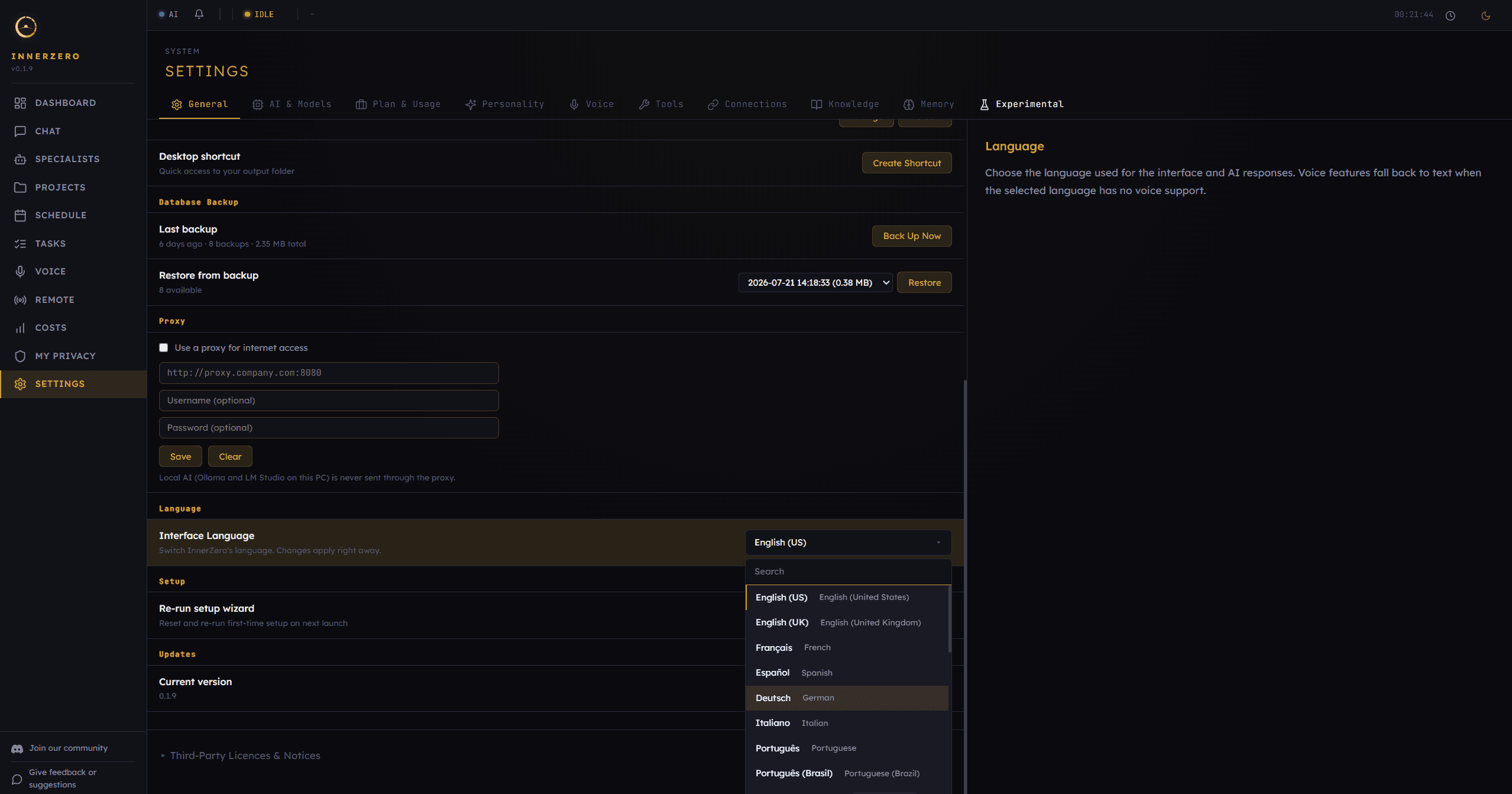
The language picker in Settings, General tab. Search, pick, and the app switches straight away.
What is included
26 languages in a searchable picker
The picker covers English, French, Spanish, German, Italian, Portuguese, Dutch, Polish, Russian, Ukrainian, Chinese, Japanese, Korean, Arabic, Hebrew, Hindi, Turkish, Vietnamese, Thai, Swedish, Indonesian, Persian, and Urdu. English is listed as both United States and United Kingdom, Portuguese as both Portuguese and Brazilian, and Chinese as both Simplified and Traditional, so regional spelling matches what you expect. A search box sits at the top of the list, so you do not have to scroll through everything to find yours.
Replies in your language, not just the menus
Choosing a language changes the assistant's responses as well as the interface. This is the part most local AI tools skip. The setting covers the interface and the AI responses together, so you are not reading Spanish menus while the assistant answers in English. English stays the default until you change it.
Switching is instant and works offline
Changes apply right away. There is no restart, no reload, and no download step. Because the translations ship inside the app rather than being fetched from a translation service, switching language works with your machine completely offline.
Multilingual memory
InnerZero remembers things you tell it across sessions. Settings carries an optional one-time multilingual memory upgrade that re-embeds what you have already saved, so search and duplicate detection work across all 26 languages and a fact you told it in French can still be found when you are working in English later. On some setups the app offers the upgrade when you first switch to a non-English language. It takes a safety backup before it changes anything, it can be resumed if you cancel, and you can skip it and start it later from Settings.
Voice falls back to text where needed
Voice support does not yet cover all 26 interface languages. Nine of them have a built-in voice model behind them and the other seventeen do not. When you pick a language with no voice model, voice features fall back to text rather than failing or silently answering in the wrong language. The language setting says so up front, so there is no surprise after you switch.
Step-by-step guides
Walkthroughs for setting this up and getting the most from it.
Frequently asked questions
How many languages does InnerZero support?
26. The picker covers English (United States and United Kingdom), French, Spanish, German, Italian, Portuguese and Brazilian Portuguese, Dutch, Polish, Russian, Ukrainian, Chinese (Simplified and Traditional), Japanese, Korean, Arabic, Hebrew, Hindi, Turkish, Vietnamese, Thai, Swedish, Indonesian, Persian, and Urdu.
Does the AI reply in my language or just the menus?
Both. The language setting covers the interface and the AI responses together. Choosing a language means the assistant answers in it as well, not just the buttons and labels.
Do I need an internet connection to change language?
No. The translations ship inside the app rather than being fetched from a translation service, so switching language works fully offline.
Do I have to restart the app after switching language?
No. Changes apply right away. There is no restart and no reload step.
Can I use InnerZero in Arabic, Hebrew, Persian, or Urdu?
Yes. All four ship as fully translated interface languages, they are selectable in the language picker, and the assistant replies in them. The interface itself is laid out left to right.
Does voice work in every language?
Not yet. Nine of the 26 interface languages have a built-in voice model. When you select one of the other seventeen, voice features fall back to text, and the app says so on the language setting itself.
Explore more
- AI ChatStreaming local chat with slash commands, attachments, and export to real documents.
- VoiceFull spoken conversation, plus standalone transcribe and read-aloud panels, all running locally.
- MemoryPersistent memory stored on your machine, with your recent and archived memories visible and removable.
- All features