
How to Run AI on Your PC Without the Cloud
A practical guide to running a private AI assistant on your own hardware. No cloud, no subscription, no technical knowledge required.
You don't need a computer science degree to run AI on your own PC. You don't even need to know what a "model" is. This guide will get you from zero to having a working AI assistant in about 5 minutes.
What hardware do I need to run AI on my PC?
The minimum:
- Windows 10 or 11 (64-bit)
- 4 GB RAM
- 2 GB free disk space, plus room for the model you pick
- No graphics card required
- An internet connection (for the initial download only)
Recommended:
- 32 GB RAM
- An NVIDIA GPU with 8+ GB VRAM (like an RTX 3060 Ti or RTX 4060)
- 30 GB free disk space
The GPU makes a huge difference. With a decent NVIDIA card, the AI responds in about a second. Without one, it still works but responses take longer. CPU-only mode is functional, just not as snappy.
Step 1: Download InnerZero
Go to innerzero.com/download and grab the installer. It's a standard Windows installer, about 280 MB. Run it like any other program.
InnerZero bundles everything it needs: the AI runtime (Ollama), the models, and the interface. You don't need to install anything else separately.
Step 2: Run the setup wizard
When you first launch InnerZero, it runs a quick setup:
- Hardware check. It scans your CPU, RAM, GPU, and available disk space. This takes about 2 seconds.
- Model selection. Based on your hardware, it recommends the right AI models. Faster hardware gets larger, more capable models.
- Model download. It downloads the recommended models. This is the longest step, typically 2 to 10 GB depending on your hardware tier. Progress bars show you exactly what's happening.
- Benchmark. A quick test measures how fast the models run on your hardware. This helps InnerZero optimise its settings.
The whole process takes 3 to 10 minutes, mostly waiting for model downloads.
Step 3: Start chatting
That's it. You're done.
Type a message in the chat box and press Enter. Zero responds. Everything is processed locally on your hardware. You can verify this by unplugging your internet and trying again. It still works.
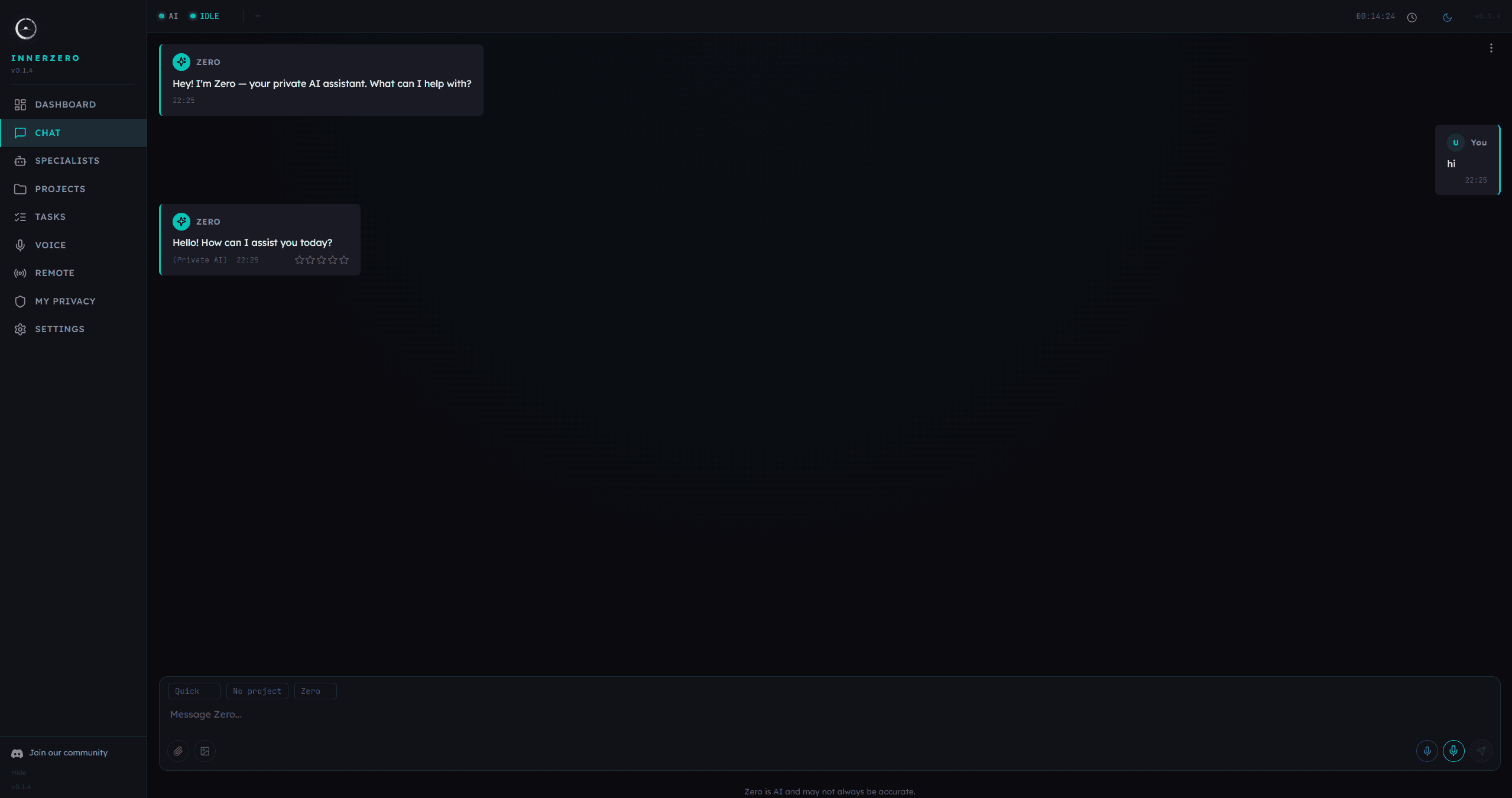
What can I do with InnerZero once it is running?
Beyond basic chat, InnerZero has built-in tools that make it genuinely useful:
- Ask "what's the weather in London" and it fetches current conditions
- Say "search for the best mechanical keyboards 2026" and it searches the web
- Ask it to write a file, read a file, or do maths
- Set timers, reminders, and alarms
- Look up word definitions
- Read and interact with other apps on your screen
All of these work locally except web search (which obviously needs internet). The AI decides which tools to use based on your question.
Exploring further
Once you're comfortable with basic chat, try these:
Voice mode. Click the microphone icon and talk to Zero. It uses local speech recognition and text-to-speech. No audio leaves your machine. Local voice needs a graphics card, so the CPU-only tiers don't include a voice model.
Memory. Zero remembers your conversations. Over time it learns your name, your preferences, your projects. Go to Settings and check the Memory tab to see what it knows about you. Read more about why memory matters.
Knowledge packs. In Settings, go to Knowledge and download offline Wikipedia databases. This lets Zero answer factual questions without internet.
Themes. Seven built-in themes, including a High Contrast accessibility theme. Settings, General tab, at the top.
What if something goes wrong?
InnerZero is early software. If you hit issues:
- Check our Discord community for help
- Make sure your GPU drivers are up to date
- Try restarting the app (it re-checks the AI server on startup)
For a deeper look at what makes local AI different from cloud alternatives, read our comparison with ChatGPT.
Written by
Louie SummersFounder
Louie Summers is the founder of Summers Solutions Ltd and the sole developer of InnerZero, based in Birmingham, UK. Every post here is written by the person who builds the product.
The feature this guide covers
Related Posts
How to Run a Local AI Without a GPU
You can run a local AI without a GPU. Which small models work on CPU and RAM, realistic speed expectations, and how InnerZero picks a model for your machine.
2026-09-29
How to Run Llama 3 Locally on Your PC
Run Llama 3 locally on your PC with Ollama or LM Studio, then add memory and voice with InnerZero. Pick a size and quant, check hardware, keep it private.
2026-09-18
The Best Free AI Assistant for Students Who Work Offline
Cloud AI subscriptions cost money students do not have, and university wifi is unreliable. InnerZero is free, runs offline once installed, and needs no account. Here is how it fits a student workflow.
2026-07-10