
Talk to Your AI: Voice Mode in InnerZero
InnerZero has full voice interaction. Talk to your AI assistant naturally, with everything processed locally on your PC.
You can talk to InnerZero. Not in a gimmicky "say a command and wait" way. Actually talk, like you would to a person. Ask questions, give instructions, have a back-and-forth conversation. Zero listens, thinks, and responds with a natural voice.
And all of it happens locally on your PC.
How does voice mode work?
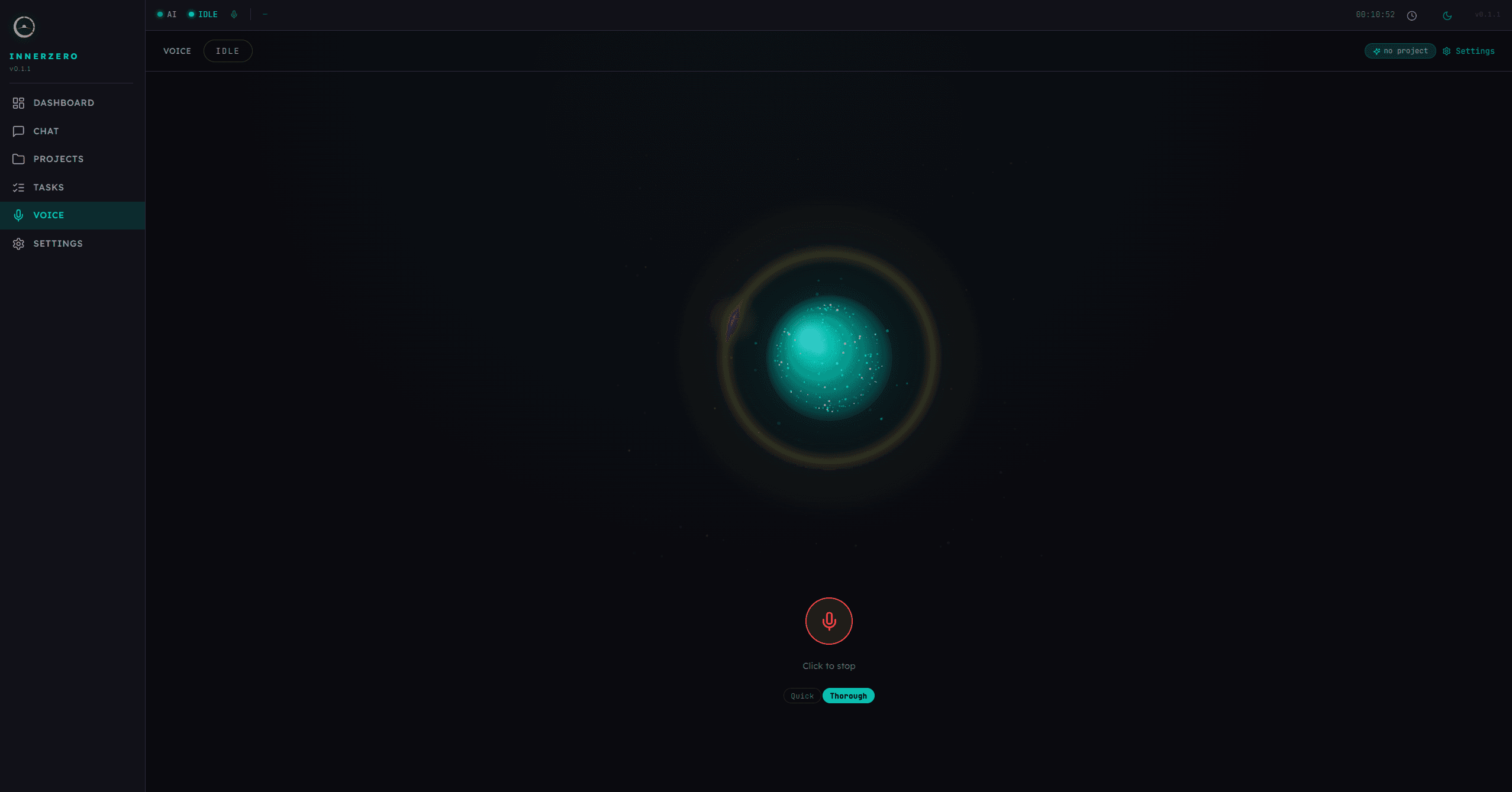
Click the microphone icon in InnerZero and start talking. Zero uses local speech recognition (faster-whisper) to transcribe your words, then a fast local AI model to generate a response, then local text-to-speech (Kokoro) to speak the answer.
The whole pipeline runs on your hardware. No audio is sent to the cloud. No third party hears what you say. Your voice data is processed in real time and discarded after transcription.
What can I do with voice mode?
Voice mode isn't just for simple questions. Zero has the same capabilities in voice mode as in text chat:
Hands-free questions. "What's the weather in Manchester?" "How many ounces in a kilogram?" "When is the next bank holiday?" Zero uses its built-in tools to get real answers, not just AI guesses.
Quick tasks. "Set a timer for 15 minutes." "Remind me to call the dentist at 3." "What time is it in Tokyo?" Practical stuff you'd normally reach for your phone to do.
Conversations. Ask follow-up questions. Zero remembers the context of your voice conversation. "Tell me about the Mars rovers." "Which one is still active?" "How long has it been operating?" It tracks the thread naturally.
Dictation. Click the dictation button and speak. Your words appear as text that you can paste anywhere. Useful for writing emails, notes, or messages without typing.
What is the voice experience like?
Zero's default voice is powered by Kokoro, a lightweight text-to-speech model. It sounds natural and clear. There are 25 voice options to choose from in Settings.
The speech recognition model (faster-whisper) is remarkably accurate, even with accents. It runs on your GPU if available, giving near-instant transcription.
Response time depends on your hardware. On a machine with a decent GPU, the full cycle (listen, think, speak) takes 2 to 4 seconds. It feels like talking to someone who pauses briefly before answering.
What does optional cloud voice add?
If you want even more natural-sounding voices, there's an optional cloud voice mode powered by OpenAI's audio API. This sends your text to OpenAI for voice synthesis, giving you access to 13 ChatGPT voices.
Cloud voice is completely optional. It's disabled by default. It requires a cloud API key. And it only sends the text response to be spoken, not your voice input or conversation history.
Most people won't need it. The local voice is good enough for everyday use.
Is voice mode private?
This is the part that matters. When you talk to InnerZero:
- Your voice is processed locally. No audio recordings are sent anywhere.
- Speech recognition runs on your hardware. No third-party transcription service.
- The AI response is generated locally. No cloud inference.
- Text-to-speech runs locally. No external voice synthesis (unless you opt into cloud voice).
Compare this to Alexa, Siri, or Google Assistant, all of which send your voice to cloud servers for processing. InnerZero keeps everything on your machine.
How do I get started with voice mode?
Open InnerZero and look for the microphone icon in the bottom-left of the chat area. Click it to start voice mode. The first time you use it, it loads the speech models (takes about 10 seconds). After that, it's instant.
You might want to adjust the silence threshold in Settings to match how quickly you pause between sentences. The default works well for most people.
For the full picture of what InnerZero can do, read our launch announcement. To see how it compares to cloud alternatives, check out our ChatGPT comparison.
Written by
Louie SummersFounder
Louie Summers is the founder of Summers Solutions Ltd and the sole developer of InnerZero, based in Birmingham, UK. Every post here is written by the person who builds the product.
The feature this guide covers
Related Posts
Your Feedback Goes Straight to the Person Who Builds InnerZero
InnerZero has a feedback box built into the app. Every suggestion and bug report reaches me, the person who builds it, and I read every one. Here is how it works and what happens after you send.
2026-07-22
A Smoother InnerZero: Why v0.1.9 Rebuilt the Foundations
InnerZero v0.1.9 spent most of its effort under the hood, restructuring the code and fixing rendering, caching, and layout problems. Here is what changed and why a foundations release makes the app feel better to use.
2026-07-22
How Screen Automation Works in a Private AI Assistant
Screen automation lets a private AI read your screen and click, type, and scroll for you. Here is how it works in InnerZero, what it can and cannot do, and why the safety story matters more than the capability.
2026-06-23